- Install the app for your platform
- Launch Revenue Notify
- You will be asked to add an account which should open the settings window for accounts, otherwise open settings ⚙️ , go to the accounts section and press “+Add Account”.
- Add a name for the account and select a payment provider to which you will be provided with instructions for that provider, and if needed a link to generate the access/secret key
- Save Account and start monitoring your revenue! 🎉
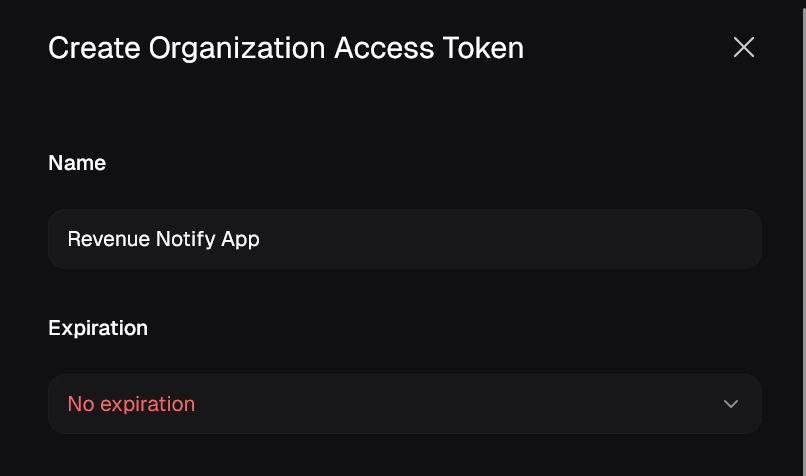
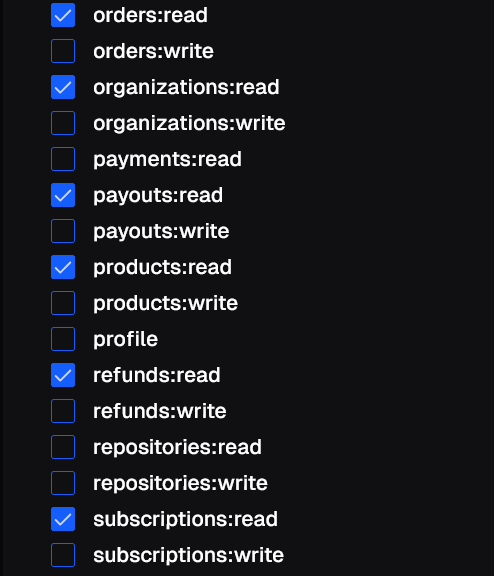
Creating an Organization Access Token for Polar.sh
Can I monitor from my sandbox/test account?
Yes you can. Either the provider will identify it as a secret/test account automatically by the secret key or simply follow the same steps above on the sandbox/test side of your account and before saving the account, check “Sandbox Account”
Can I edit or delete an account?
Yes, simply press on the action button on the side of the account you want to change.